.png?width=40&height=40&name=Logo%20(1).png)
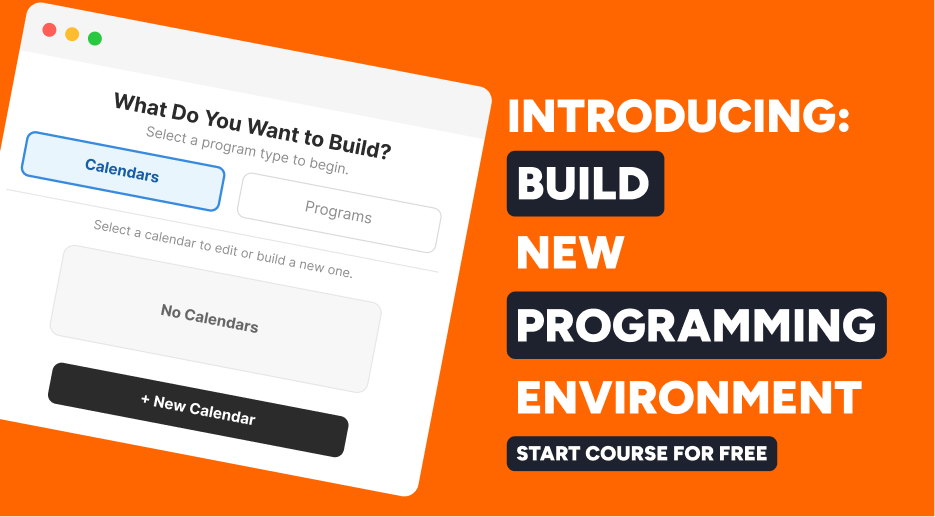
After 14 years, hundreds of thousands of coaches, and one very reliable calendar that served its users for over a decade, TeamBuildr has launched something new: BUILD — a completely rebuilt workout programming platform designed to power the next chapter of strength coaching software.
Co-founders Hewitt and James recently hosted a live webinar walking customers through the story behind BUILD, a live demo of its features, and a candid look at what's coming next. Here's everything you need to know.
A Trip Through the Time Capsule
Teambuildr’s roots go back to 2012, born out of a Division III collegiate weight room where Hewitt and James played together. The original platform was date-based by design — workouts were tethered to a calendar, and that framework served coaches well for years.
Over the following decade, the platform grew significantly. Questionnaires, SAQC, APRE, prescribed loads, additional copying tools — each feature was shaped by feedback from real coaches across high school, college, professional, and tactical settings. The 2015 version of the calendar became the backbone of the platform for the next 11 years.
But over time, the limitations piled up. Features coaches wanted couldn't be added without overhauling the foundation. A backlog of "we want to do this, but the current architecture won't support it" items grew and grew. It was time to build a new car.
Why Rebuild From Scratch?
The old calendar was never going to support where TeamBuildr wanted to go. Rather than patching a system that had reached its ceiling, Hewitt and James made the call to start over — the right way.
The rebuild took approximately two years of production work. The team conducted discovery sessions with dozens of coaches — customers and non-customers alike — across every vertical: high school, college, pro, and private sector. They dug into how coaches actually used the software (often very differently from how the team assumed), identified the workarounds people had developed, and turned those workarounds into native features.
The biggest insight? A growing number of coaches didn't need a date-based calendar at all. Personal trainers, tactical coaches, and others wanted to build programs athletes could follow at their own pace — what TeamBuildr now calls freeform programming. The old calendar simply couldn't accommodate this. BUILD can.
What's New in BUILD
Three Views, Not Two
BUILD introduces a proper day view, week view (an actual view of the week, not a disguised month), and month view. The week view is particularly notable — coaches who used to open multiple browser windows to compare training across Mondays can now see every instance of a training day stacked in tabs at the bottom of the screen, like a spreadsheet. Editing on the month view is arriving imminently.
Programs, Not Just Calendars
The platform's new dedicated Program View is the biggest structural shift. Coaches can now BUILD, view, and edit saved programs directly — without the old workaround of loading a program onto a calendar, editing it, and re-saving it. Programs can be assigned directly to athletes and come with the ability to add a header image and description to make them presentation-ready.
Universal Exercise Search Bar
Gone is the need to filter by category before adding an item. A single search bar surfaces everything in the exercise database — lifts, SAQC items, circuits, notes, questionnaires — in one place. Keyboard shortcuts keep coaches on their keyboards, and a new "pre-save state" lets coaches configure sets and reps before an item is committed to the calendar.
Smarter Copy Workflow
The old three-tab copy system (single date, multiple dates, date range) caused significant confusion and was the source of TeamBuildr highest-volume support tickets. BUILD replaces it with a guided step-by-step flow that walks coaches through where they're copying to, reducing accidental overwrites. Quick keyboard shortcuts (Ctrl+C / Ctrl+V) are also available for fast, item-level copying.
Fixed Ordering / No More "Scrambling"
A persistent issue with the old calendar was that edits on a parent calendar could reorder workouts on athlete calendars — a phenomenon coaches knew as "scrambling." The new BUILD architecture eliminates this for any content created fresh in BUILD. Legacy content is clearly labeled, and a "Reset Order" option is available to restore expected hierarchy when needed.
Deleted Exercise Warnings
BUILD now flags items whose underlying exercise has been deleted from the library with a visual warning icon, helping coaches understand why history or maxes may not be displaying correctly.
Undo / Restore
A basic undo feature is live — deleting items now prompts a timed undo option. A more robust undo/restore system is actively in development and will ship before BUILD becomes the sole platform.
Coming Soon
Hewitt and James were direct about what isn't in BUILD yet — and what's on the near-term roadmap:
- AI Program Importer — Upload an Excel spreadsheet or PDF of an existing program. BUILD will detect the structure, let coaches match exercises, and import the whole thing directly into TeamBuildr. Arriving in the next few weeks.
- Exercise Property Expansion — New prescription options including RPE, reps in reserve, and velocity bands are now technically possible with the new architecture and are in active development.
- Annual Planner Integration — The Planner will be brought into BUILD, and the team is exploring integrations with Google Calendar, Teamworks, and other scheduling platforms so coaches can see game and practice schedules directly alongside their programming.
- Mobile Enhancements — Programming on mobile browsers will be improved, and the new architecture opens the door for potential native app integration in the future. Customers will receive bi-weekly in-app updates on what's shipped.
- Dark Mode — It's on the list. The team wants to solidify core functionality first, but dark mode is coming.
- Default View Settings — The ability to save a preferred calendar view (day, week, or month) is planned.
The Transition Timeline
Both the old calendar and BUILD are currently running in parallel, and programs built on either are backwards compatible.The legacy calendar will sunset later this year, at which point BUILD will become the sole platform. TeamBuildr didn't want to flip a switch overnight, especially with summer training season in full swing.
Getting Support
TeamBuildr offers several ways to get up to speed on BUILD:
- Support videos — Every feature in Build is documented in the help center.
- 1:1 training sessions — Email support@teambuildr.com to schedule a Zoom session with the support team or schedule here.
- BUILD Course — Our BUILD course is available for free whenever you're ready to dive deeper.
- Recording — The recording of this webinar can be found here.
Fourteen years in, Hewitt and James closed the webinar the same way they opened the company — with genuine excitement about what's being built. The new platform isn't just an upgrade; it's the foundation for everything that comes next. As Hewitt put it: "It feels like just the beginning in so many ways."
How to Build a COVID-19 Questionnaire in TeamBuildr
Implementing the Gameday Plus/Minus System for Wake Forest Basketball