Pennsylvania just took phones out of the weight room
On October 26, 2026, Governor Josh Shapiro signed Senate Bill 1014 at Lenape Middle School in Doylestown. Starting with the 2027-28 school year, every public and private school in Pennsylvania must keep student cell phones away from the first bell to the last.
I live in Central PA, and I have a kid who will walk into a Pennsylvania school building in a few years. I read this news as a parent first. Fewer screens during the school day is good for kids.
I also spent years as a strength and conditioning coach, and I now work with hundreds of high school coaches who run their lifting classes through TeamBuildr. For them this law raises a practical question. The phone was the clipboard. Athletes logged sets, watched demo videos, and checked their percentages on a device the school no longer allows in the room.
The good news is that the law bans personal phones. It does not ban technology. School-issued iPads, Chromebooks, and the TV on the wall are all still fair game, and several Pennsylvania programs are already running phone-free lifting classes on TeamBuildr today. This post covers what the law requires, the three setups that work, and how one coach in St. Marys built a 12-iPad room a full year ahead of the deadline.
What SB 1014 actually requires
The law is short on specifics by design. It sets the standard and leaves enforcement to each district. Here is what a coach needs to know.
-
Bell to bell. No student phone use from the start of the school day to the end, including lunch, homeroom, and study hall. Lifting class counts.
-
Phones and other internet-connected personal devices. Smartwatches are included.
-
All schools. Public and private, statewide.
-
2027-28 school year. Districts must have a policy in place by then. Many already do. Pittsburgh Public Schools went bell to bell this fall, and districts across the state have run some version of a ban for years.
-
Districts decide how. Pouches, lockers, classroom caddies, and discipline for violations are all local decisions.
Two exceptions matter for the weight room.
-
Instructional use. A teacher can allow phone use for an instructional purpose with the principal's approval. Some coaches will try to run their class on this exception. That is a conversation with your principal every year, and it leaves the program one administrator change away from losing its logging system.
-
Medical and educational plans. Students with medical needs, English learners using translation, and students whose IEPs require a device are covered.
Why the weight room feels this more than the history classroom
A history teacher collecting phones loses a distraction. A strength coach collecting phones loses the data layer of the class.
In a well-run lifting class, athletes open their program, see today's prescribed sets and percentages, log what they actually lifted, and move to the next exercise. The coach watches a dashboard fill in real time and knows who is behind, who is sandbagging, and who just hit a PR. That loop is what separates a strength program from a free-lift period, and for most high schools over the past five years it ran on the phone in each kid's pocket.
Take the phone away with no replacement and the class reverts to paper cards, verbal check-ins, and a coach doing data entry at night. Compliance drops, progression gets guessed, and the coach loses the evidence that the program is working when it comes time to ask for a budget.
Three ways to run TeamBuildr without a phone in the room
Most programs land on one of these, and plenty combine two.
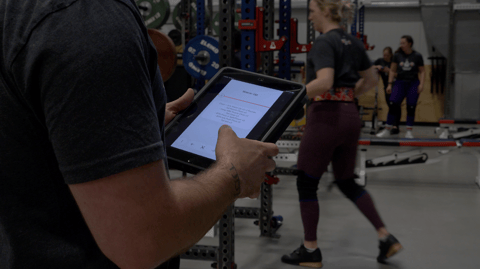
Athletes log on their school device
In a 1:1 district, athletes bring the Chromebook or iPad they already carry and open TeamBuildr in the browser. Same workflow they used on their phones.
See TeamBuildr Strength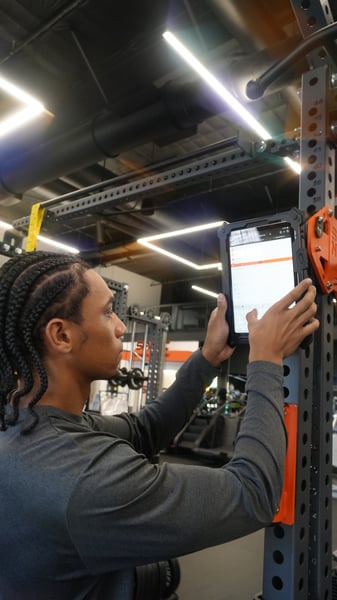
A shared tablet on every rack
Mount one tablet per rack and open Weight Room View. The screen splits into athlete panels: each athlete taps their name, their workout opens, and they log every set right there.
See Weight Room View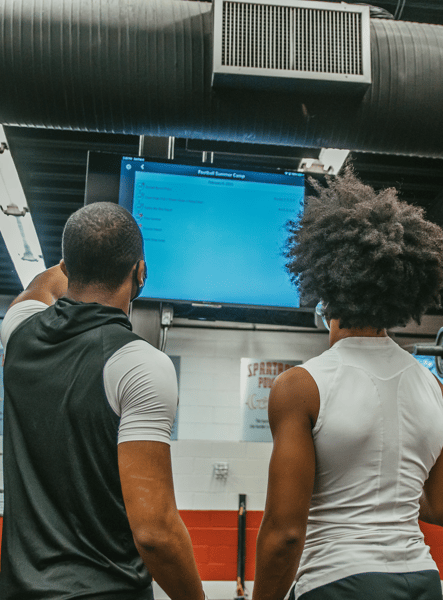
The wall TV plus a coach tablet
TV Mode casts the Whiteboard to the TV you already have, with a panel for each team or group. Start with one coach tablet and add rack tablets as budget allows.
See TV ModeWhere the money comes from.
1:1 programs are often funded through Title IV-A or state technology grants. Booster clubs fund shared iPads more often than people expect, and a one-time ask for six iPads and a cart is an easy pitch when the alternative is losing the program's data. Buy certified refurbished before buying new. An iPad a few generations old runs TeamBuildr without issue, and St. Marys furnished a 12-iPad room that way. Ask your technology director what the district is retiring this year, too.
On logins.
A shared device means shared sign-in. Weight Room View is built for exactly that: the coach opens the session, athletes pick their name from the group, log, and hand it off. No individual passwords on a shared screen.
How St. Marys Area High School went phone-free a year early
Mike Kunes teaches physical education at St. Marys Area High School in Elk County and serves as the NHSSCA Pennsylvania Director. His program has already lived through every version of this problem, and his room is the clearest picture I have seen of what a phone-free lifting class looks like in practice.
The Timeline.
St. Marys onboarded with TeamBuildr in April 2019, after Mike heard about the platform from other coaches at an NHSSCA regional clinic. The timing lined up with a new weight room, and the district funded both the software and a set of student iPads. Mike built athlete profiles and training groups and moved the program off paper just before the COVID shutdowns. About three years ago the original iPads aged out and the program switched to student phones. Then the school administration, reading the same legislative signals, limited phone use to before school, after school, and lunch. Mike's answer was to bring iPads back before the state made the decision for him.
The Room.
Four double half racks, each with a magnetic tablet mount and a dedicated iPad, for 12 iPads total. PE class caps run up to 32 students, so the program uses the four-screen Weight Room View. Each screen serves one rack, and multiple athletes can pull up their workout and log sets on the same display at the same time.
The Money.
Mike worked with the TeamBuildr team to compare options and landed on certified refurbished iPads a few generations old. In his words, they saved significant capital and perform flawlessly. Cases, screen protectors, and heavy-duty magnetic rack mounts were paid for by two program fundraisers: Strengthsgiving in the fall and a Lift-A-Thon in the spring. The district paid for the devices. The community paid for everything that holds them.
A Class Period.
Athletes log in before the dynamic warm-up to read the day's plan, instructional notes, and announcements. Training groups and rack assignments are set in the first week of the semester, so the room runs like a seating chart. Athletes enter their numbers during the rest between sets, which keeps the pace of the session and keeps the data honest. Mike teaches the phrase he wants them to remember: garbage in, garbage out. Injured athletes on a rehab or return-to-play protocol get a dedicated device so they can run their own program without slowing down a rack.
The Backup Plan.
Before the iPads were confirmed, Mike built a hybrid option: printed TeamBuildr workout logs in class, with athletes entering their data into the platform outside instructional time. He never needed it. Having it ready is the reason the switch felt like a non-event.
What Changed.
It is early, and Mike is careful to say so, but data accuracy and consistency are already up. A dedicated iPad has one app on the screen. A phone has TeamBuildr sitting next to messages and social media. The shared display also produced something he did not plan for: athletes at the same rack watch each other's entries and fix errors in real time.
His advice.
Use your resources. The NHSSCA network in Pennsylvania is full of coaches who will share what worked in their rooms, and the TeamBuildr team helped him compare hardware and find the lowest-cost iPad setup that would hold up. He is also offering his own time. Coaches who want to talk through their setup can email him at mkunes@smasd.org.
What to ask your AD and IT department this month
You have until August 2027. Programs that start the conversation now get first pick of retired devices and a line in next year's budget. Programs that wait get whatever is left in July.
The parent and the coach agree on this one
As a parent, I want my kid in a school where the phone stays in the locker. As a coach, I want every athlete logging every set. Pennsylvania just proved those two goals fit in the same room.
The programs that come out of 2027-28 ahead are the ones that treat this as a device decision, made this year, and move on. If you want help mapping your room to one of the three setups above, reach out to our team and we will walk through it with you. If you are a Pennsylvania coach already running phone-free classes, we want to hear how. Mike was the first to tell us. He will not be the last.
Is AMS Cooked? AI Has Entered the Chat

Real-Time Programming for Coaches: What you need to know