It’s the end of the block, it’s 5 minutes before the lift, and you just got the injury report, or you’re trying to adjust a client’s plan in between classes. You know the moment. BUILD was designed for a faster programming workflow, where every feature was shaped by coaches describing exactly where their time was going, and every one of them exists to give some of it back.
Here are 5 BUILD features that get you back on the floor:
Drag and Drop
You get the text at 6 am that Wednesday’s lift needs to be moved to Thursday after practice. In BUILD, you grab the session and move it. The exercises, the questionnaire, and the pre-practice primer attached to it all come along. A schedule change costs you the time it takes to drag one block across the screen.
Multi-select
You want the accessory work out of Tuesday and into Thursday, but the main lift stays put. Select the pieces you want, move them together, done. You restructure a session in chunks, instead of relocating one item at a time and hoping nothing gets left behind.
Collapsible Session Breaks
You run a three-part training day, and you need to see the whole thing at once, but don’t need the additional visual clutter. Lift, agility, and post-practice conditioning: collapse each block down to its header, and the day fits on your screen. When you move a session break, everything under moves too, so the structure you built stays intact no matter how many times the schedule shifts around.
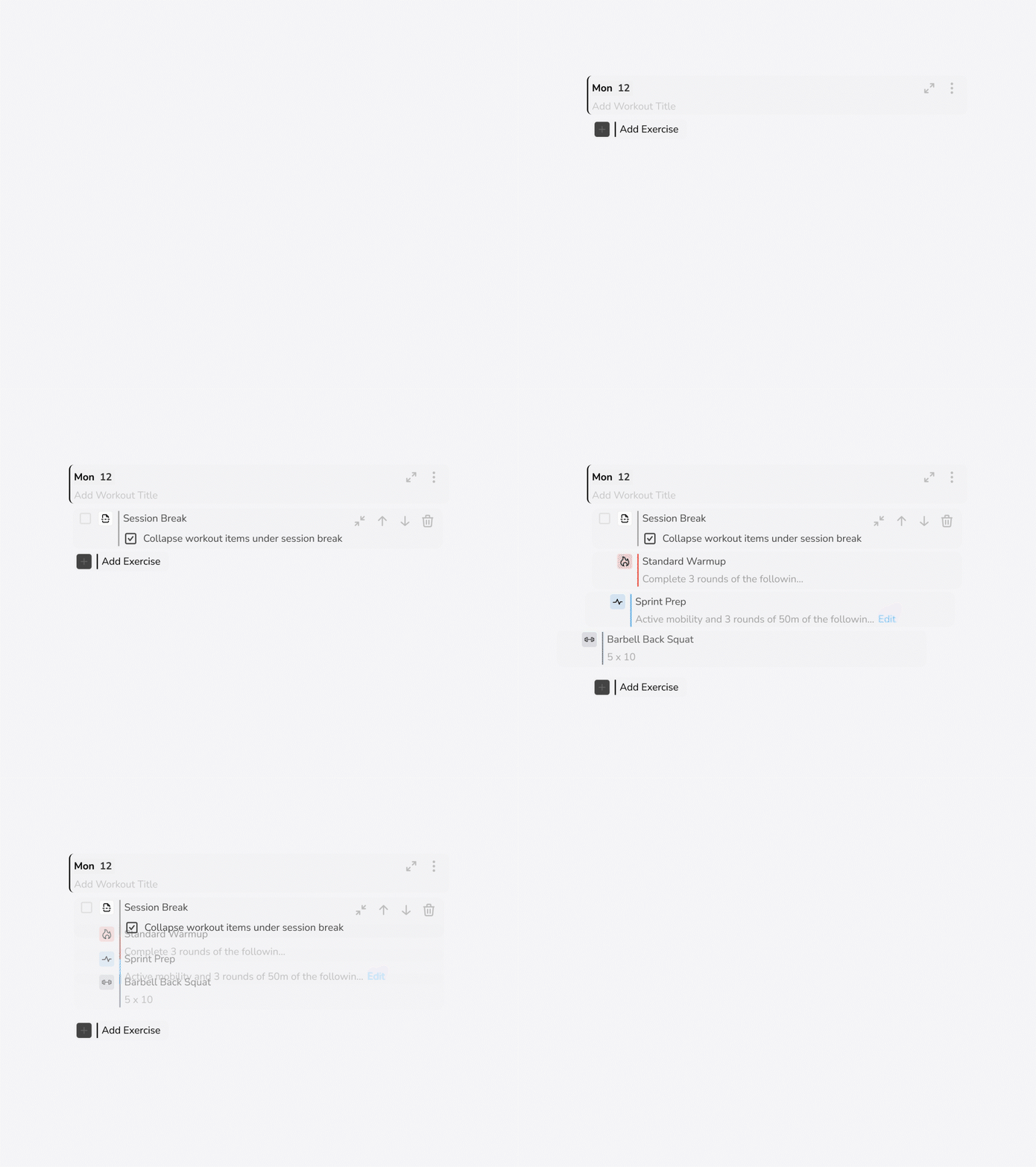
Collapse the clutter, keep the structure
You run a three-part training day, and you need to see the whole thing at once, but don't need the additional visual clutter. Lift, agility, and post-practice conditioning: collapse each block down to its header, and the day fits on your screen. When you move a session break, everything under moves too, so the structure you built stays intact no matter how many times the schedule shifts around.
Progression View
You train Monday, Wednesday, and Friday. Hide the other days and your week shows only the days you actually coach. Filter down to just your Mondays, and how you progress your intensity and volume sits in front of you, week after week, instead of clicking through each training day.
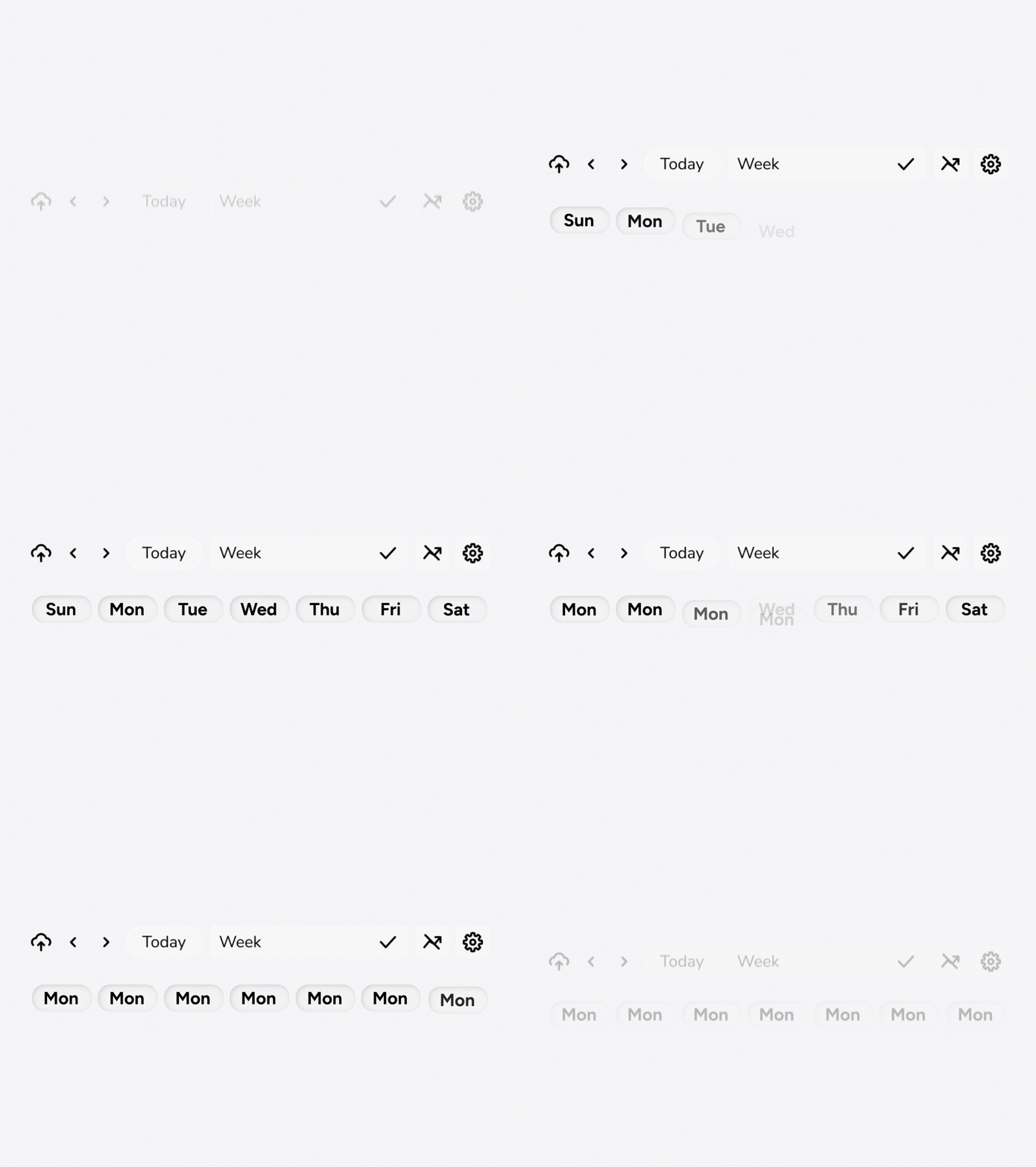
See only the days you coach
You train Monday, Wednesday, and Friday. Hide the other days and your week shows only the days you actually coach. Filter down to just your Mondays, and how you progress your intensity and volume sits in front of you, week after week, instead of clicking through each training day.
Programming Inputs
You are writing a 5/3/1 wave and know exactly what you want. Type “5, 3, 1” into the rep field and BUILD reads it as you intend it without having to select how many sets and customize the reps. Enter custom percentages, tempos, and subsets without stopping for a dialog box on every set. The program moves from your head to the screen with fewer clicks, and that time adds up with the number of individualized programs you are writing.
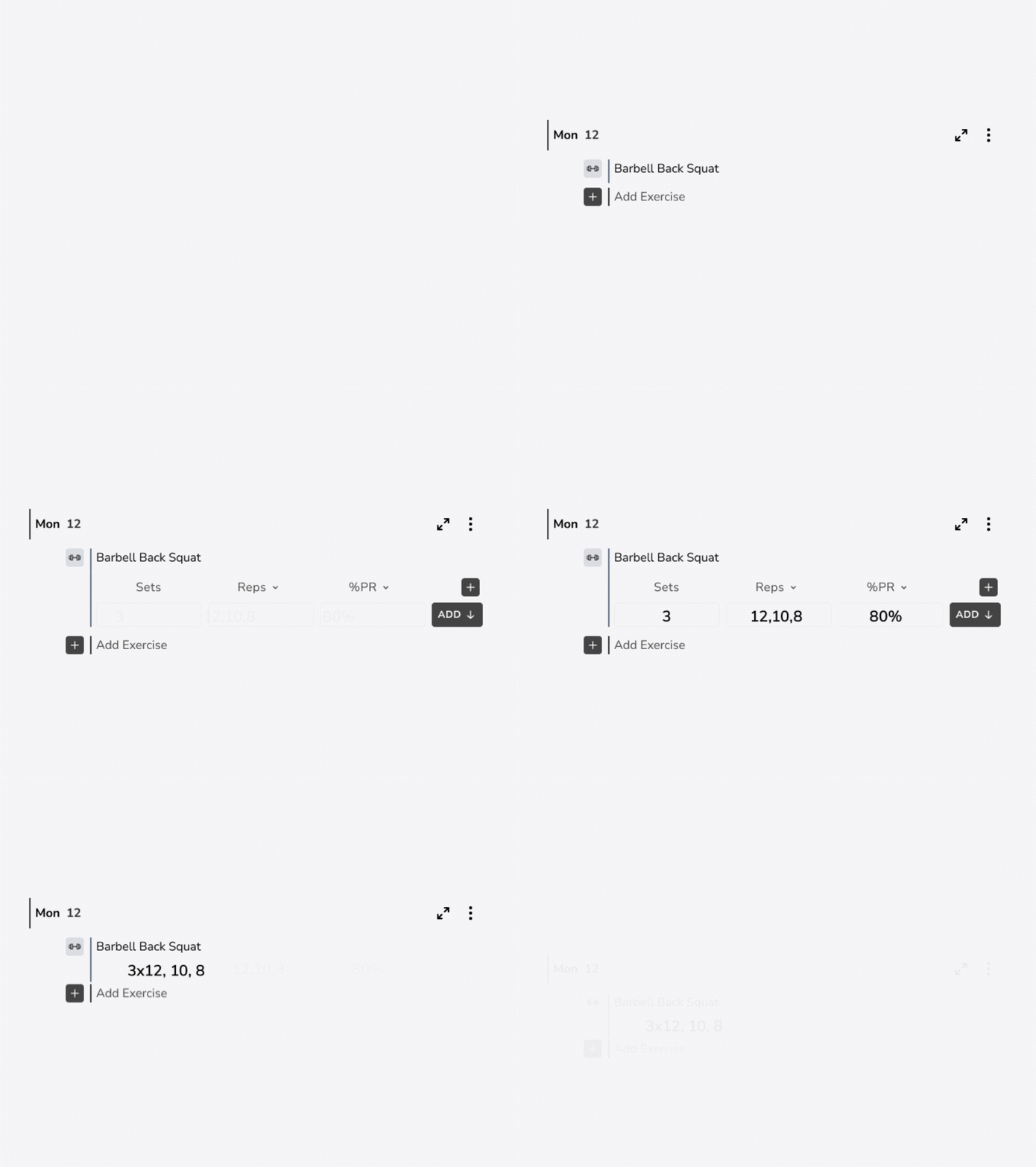
Type the wave, skip the dialog box
You are writing a 5/3/1 wave and know exactly what you want. Type "5, 3, 1" into the rep field and BUILD reads it as you intend it, without having to select how many sets and customize the reps. Enter custom percentages, tempos, and subsets without stopping for a dialog box on every set. The program moves from your head to the screen with fewer clicks, and that time adds up with the number of individualized programs you are writing.
BACK TO THE FLOOR
Each of these features handles a small piece of the work that keeps you at your desk. Together, they hand you back your evening.
The Legacy Calendar Is Retiring. Here's Why Coaches Aren't Looking Back.

Cooks Before Chefs: 4 Steps to Teaching Young Coaches to Program